Before you start
Do not start here from zero.
Do not fund Braiins until your DATUM endpoint is stable. Braiins will not let you change the stratum target inside an existing bid, and deposited funds should not be treated like a withdrawable wallet balance. If your home IP changes after you fund Braiins, you can be stuck with sats tied to a dead endpoint. Home-hosted setups need DDNS, tunneling, or a stable static public IP before funding Braiins.
Finish one node guide first:
Before you do anything on Braiins, make sure that guide has already left you with:
- A synced node
- A running DATUM gateway
- A public mining endpoint or hostname on port
23334 - The Bitcoin address and username format you plan to use for payouts
If one of those is missing, stop and go back to the node guide.
Before you fund Braiins, you can also use the hashpower calculator to compare the expected rented-hashpower result against buying BTC outright at spot.
1. Create and fund the Braiins account
Create a Braiins hashpower account here:
https://hashpower.braiins.com/
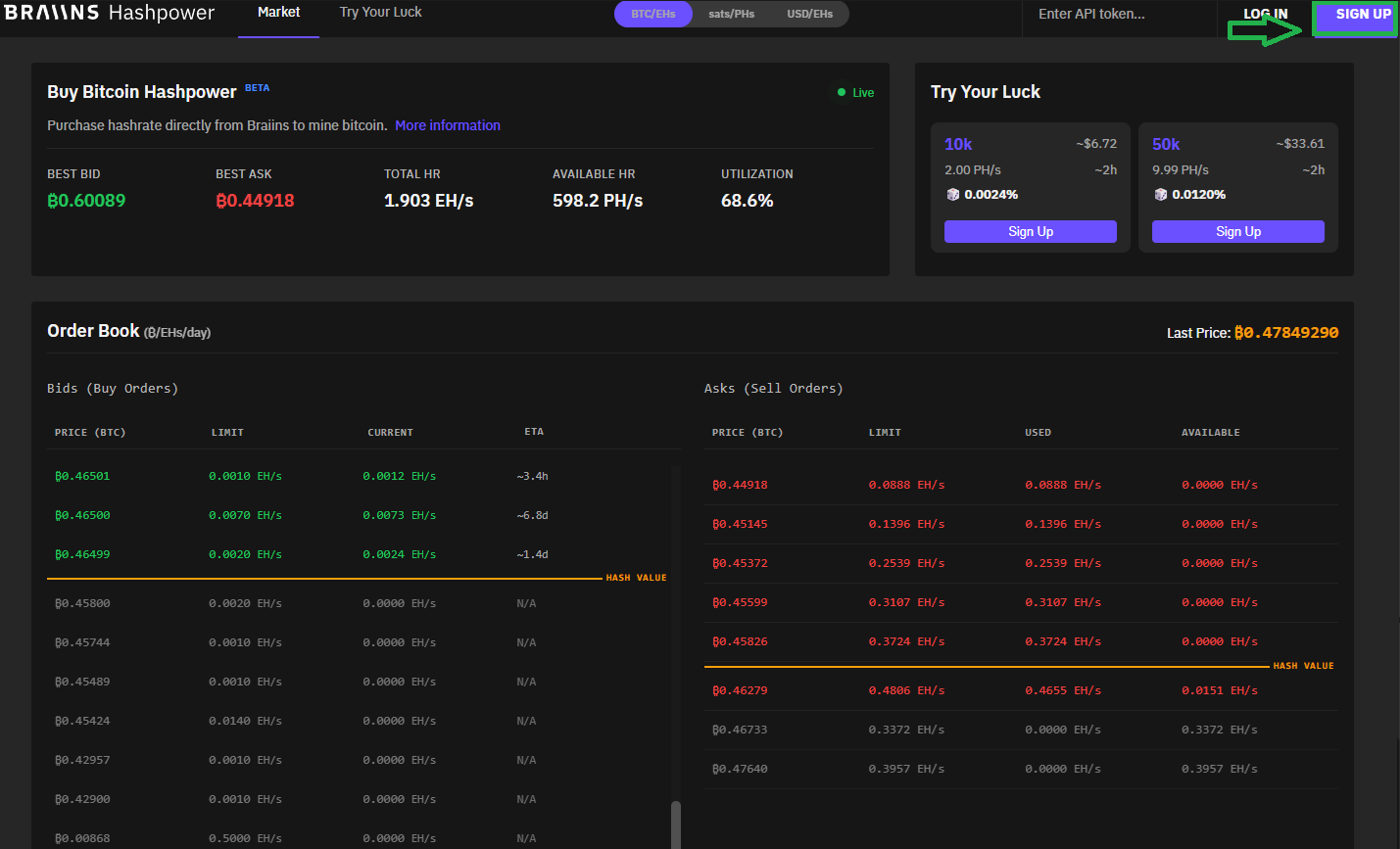
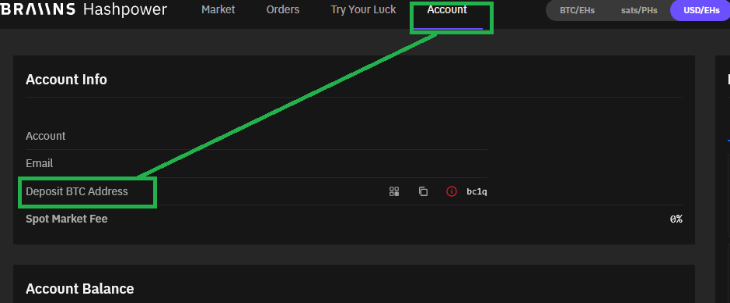
Then do the Telegram verification they require, and send BTC to the deposit address they give you.
2. Bring the mining pool URL from your node guide
This field must point at the DATUM endpoint you made reachable in step 1.
Common cases:
- VPS guide:
stratum+tcp://your-vps-ip:23334 - StartOS with Start Tunnel:
stratum+tcp://your-start-tunnel-vps-ip:23334 - StartOS with direct port forwarding and DDNS:
stratum+tcp://hostname.domain.com:23334 - StartOS with direct port forwarding and a stable static IP:
stratum+tcp://your-public-ip:23334 - Umbrel with DDNS:
stratum+tcp://hostname.domain.com:23334 - Umbrel with a stable static public IP:
stratum+tcp://your-public-ip:23334
Never paste a private LAN address like 192.168.x.y into Braiins.
Do not create the bid until that endpoint is stable. A dynamic home IP is the wrong input unless DDNS or tunneling is already keeping that endpoint stable.
3. Use the right pool username
With the default DATUM behavior, the username should look like this:
bc1qyourrealbitcoinaddress.someworkernameUse the Bitcoin address that should receive the OCEAN rewards, optionally followed by a worker name after a period.
If you changed DATUM’s
pool_pass_full_userssetting tofalse, rewards follow thePOOL_ADDRESSconfigured in the node setup instead. That is why the node guide keeps hammering on using an address you control.
4. Create the bid
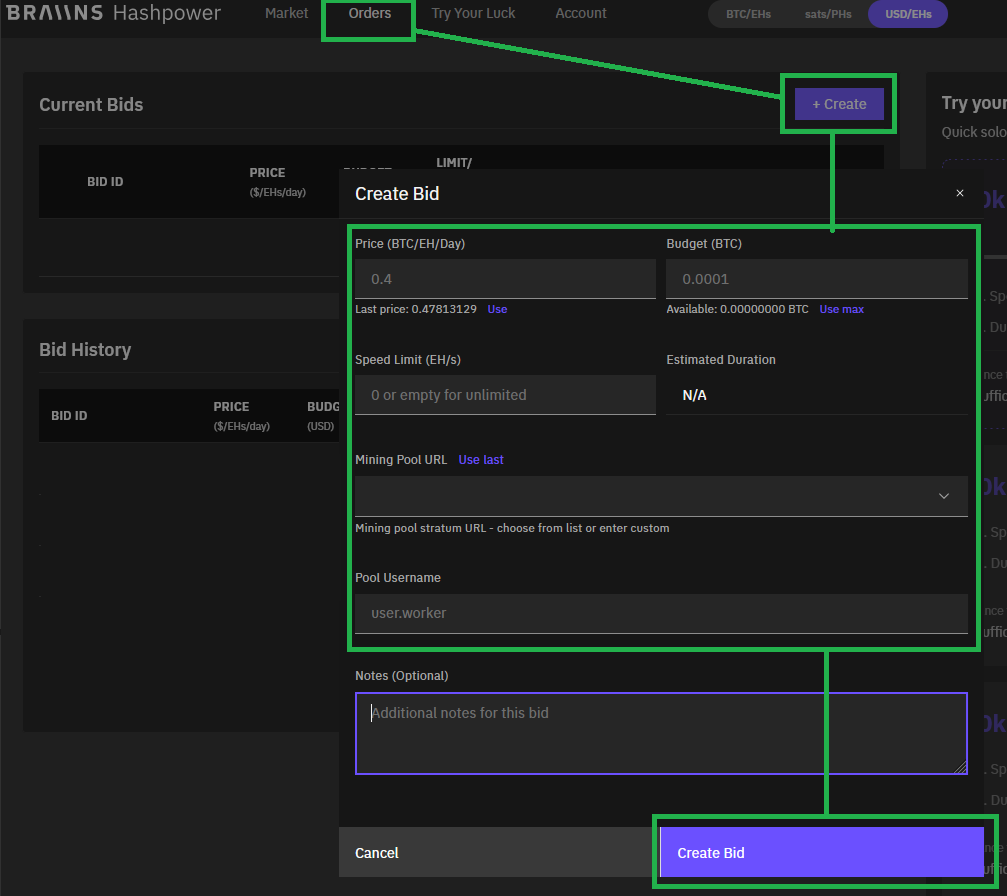
Once the box is ready and Braiins is funded, create the bid.
Price and budget
You can start with Braiins’ suggested pricing using Use or Use max, then use your own judgment from there.
You obviously do not want to be paying exorbitant amounts.
Speed limit
The higher the speed limit, the faster you’ll burn through your sats.
The faster you burn through sats, the more variance you will suffer. That can go your way or not. Choice is yours.
Mining pool URL
Paste the public DATUM endpoint from your node guide exactly as shown there.
For home-hosted setups, that should be a DDNS hostname, a tunneled endpoint, or a truly stable static public IP. Do not use a rotating home IP here.
Pool username
Use the DATUM username format from the section above.
5. Confirm the bid
Create the bid and confirm it in Telegram.
What success looks like
At the end of this flow:
- The Braiins account is created and funded
- The mining pool URL points at the DATUM endpoint from your node guide
- The pool username matches the DATUM behavior you chose
- The bid is funded and confirmed
If one of those is not true yet, the guide is not done.
Why this is separate
- The Braiins steps are the same no matter which node guide you chose first
- Node setup and Braiins setup fail in different ways, so splitting them makes troubleshooting cleaner
- The alternative node guides no longer need to duplicate the account, funding, and bid flow