When this guide makes sense
Use this guide if you already run Umbrel and want to keep the node and DATUM on hardware you already trust.
Use a stable hostname for rented hashpower. MiningRigRentals does not refund rentals pointed at IP-based pools, and a changing home IP can strand paid rental time on a dead endpoint. Use DDNS or a tunnel before spending sats.
This guide leaves you with an Umbrel-hosted DATUM endpoint ready for PickHash or another hashpower provider:
- Install Bitcoin Knots on Umbrel
- Install DATUM on Umbrel
- Configure DATUM correctly
- Forward port
23334from your router to the Umbrel box - Carry the public endpoint into the PickHash guide
Why port forwarding is the straightforward route here
On Umbrel, DATUM listens on port 23334.
On your local network, miners point at the Umbrel box IP directly. For rented hashpower, you need that same DATUM port reachable from the internet, so the straightforward route is to forward 23334 from your router to the Umbrel machine.
That keeps the setup simple and avoids turning this guide into a separate tunnel guide.
1. Install Bitcoin Knots on Umbrel
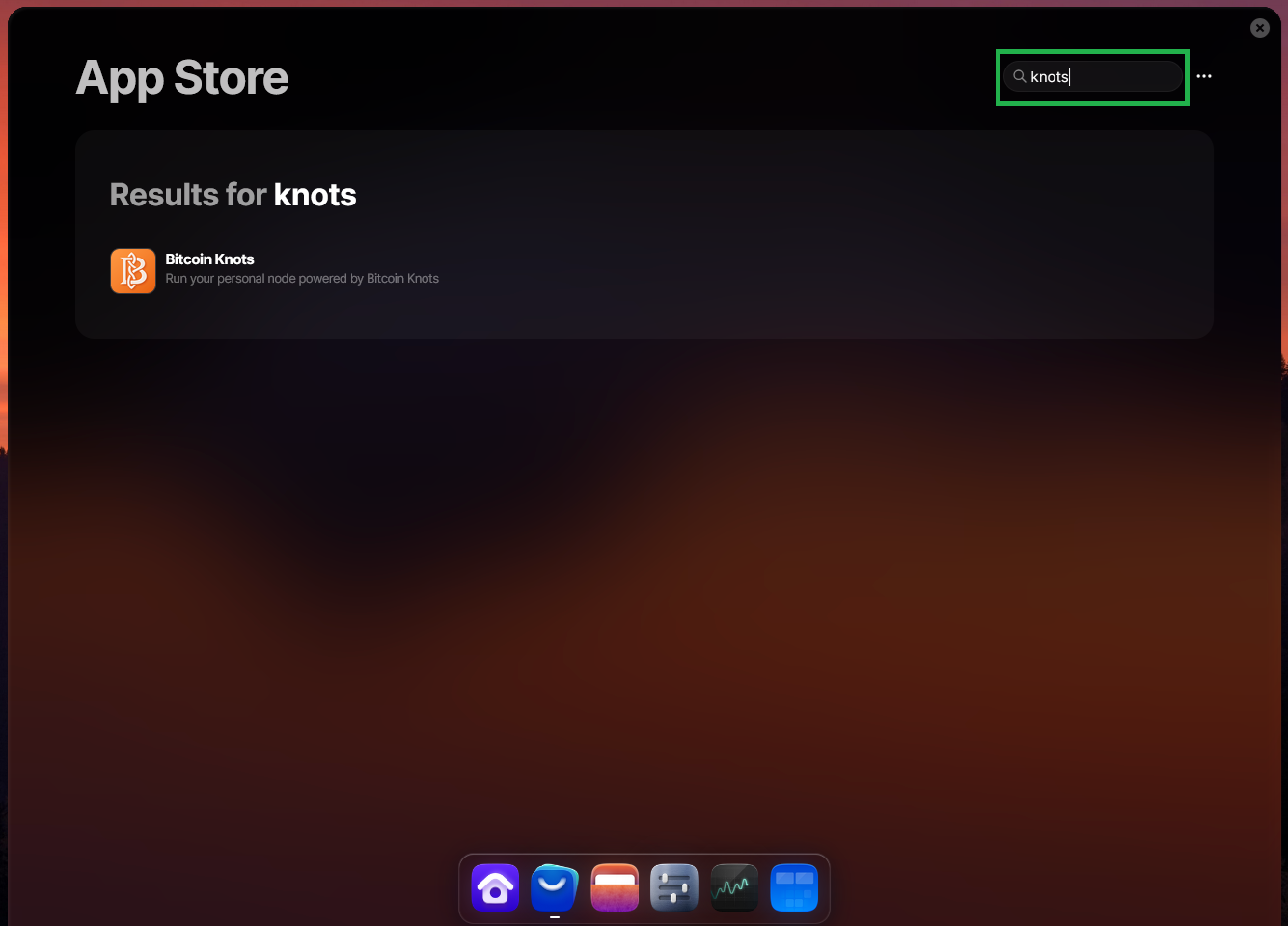
Install Bitcoin Knots from the Umbrel App Store:
https://apps.umbrel.com/app/bitcoin-knots
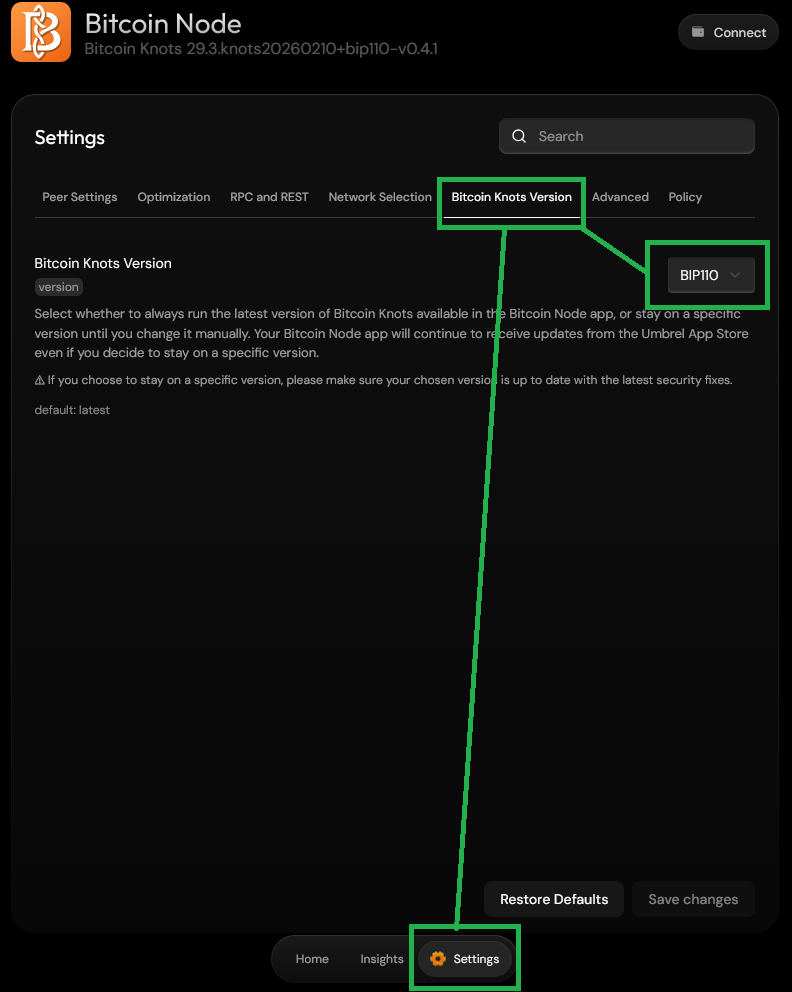
The Knots app includes BIP-110 in the version selector, so if you want that build, select the BIP-110 version in the app settings.
If your box is still syncing, let that finish before you try to use DATUM for anything serious.
2. Install DATUM on Umbrel
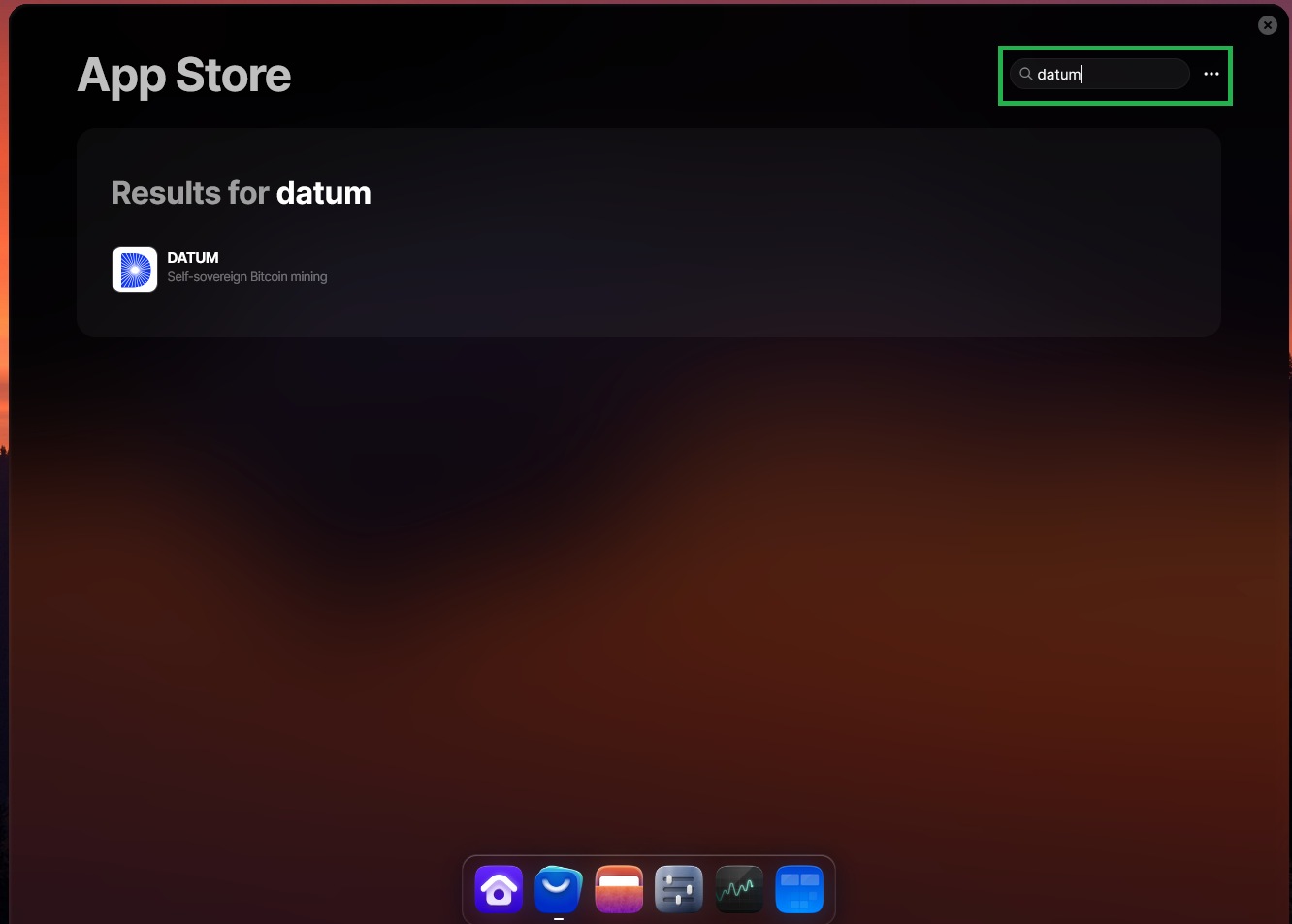
Install DATUM from the Umbrel App Store:
https://apps.umbrel.com/app/datum
If Umbrel asks which node client DATUM should use during setup, select Bitcoin Knots.
DATUM depends on Bitcoin Knots and connects to it automatically after installation.
3. Review the Knots settings before you test anything
Umbrel wires DATUM to Bitcoin Knots automatically, but you should still review the Knots node settings before you point hashpower at it.
The upstream DATUM README currently recommends reserving some block space for the pool payout transaction with:
blockmaxsize=3985000
blockmaxweight=3985000
It also recommends these additional node settings:
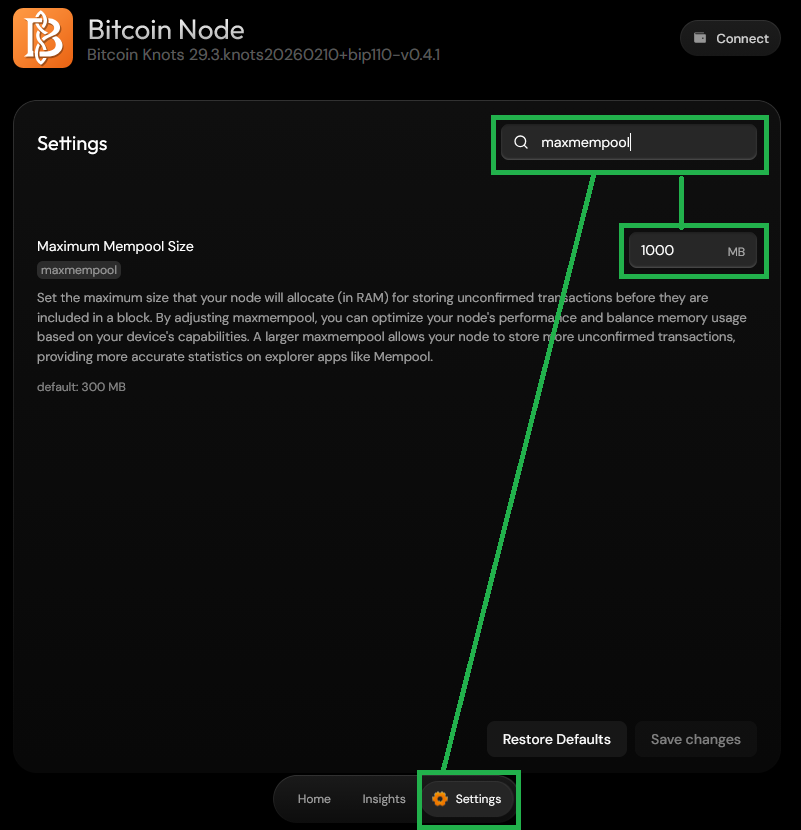
maxmempool=1000
blockreconstructionextratxn=1000000
The upstream DATUM README also requires block notifications from your node. If the Umbrel package does not handle that for you, review DATUM’s node configuration guidance before using this route:
https://github.com/OCEAN-xyz/datum_gateway?tab=readme-ov-file#node-configuration
Umbrel’s settings search helps you jump straight to each field:
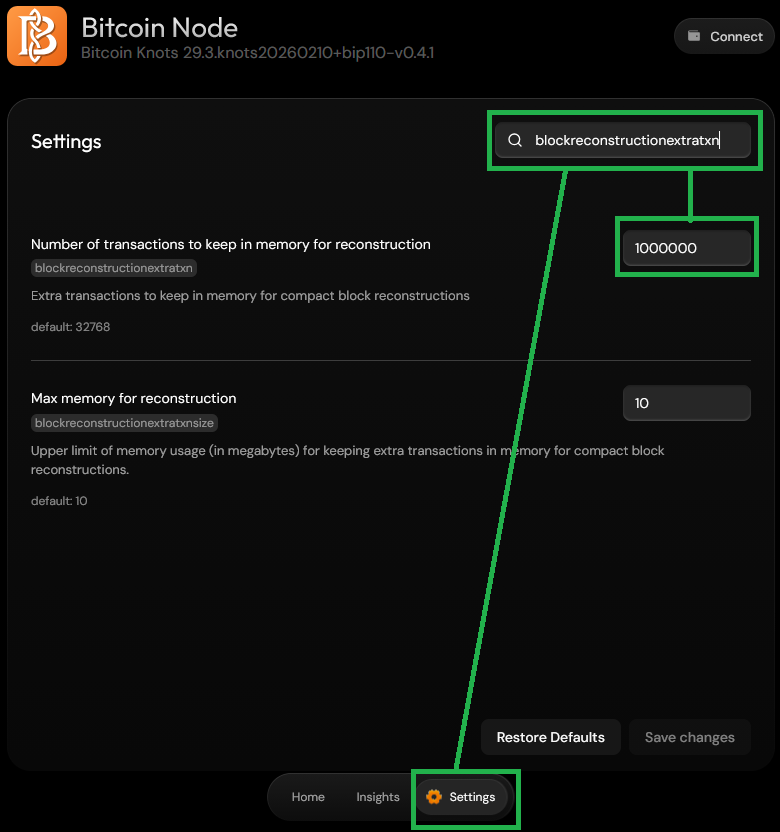
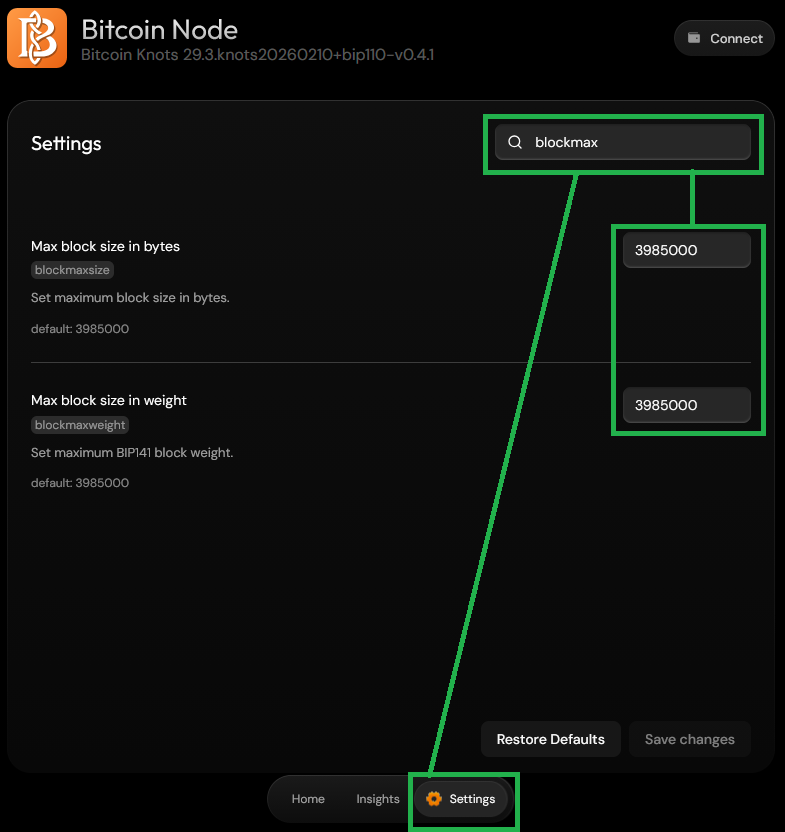
After changing any Knots values, restart Bitcoin Knots and make sure it comes back cleanly before you move on.
4. Configure DATUM before you test anything
Two details matter immediately:
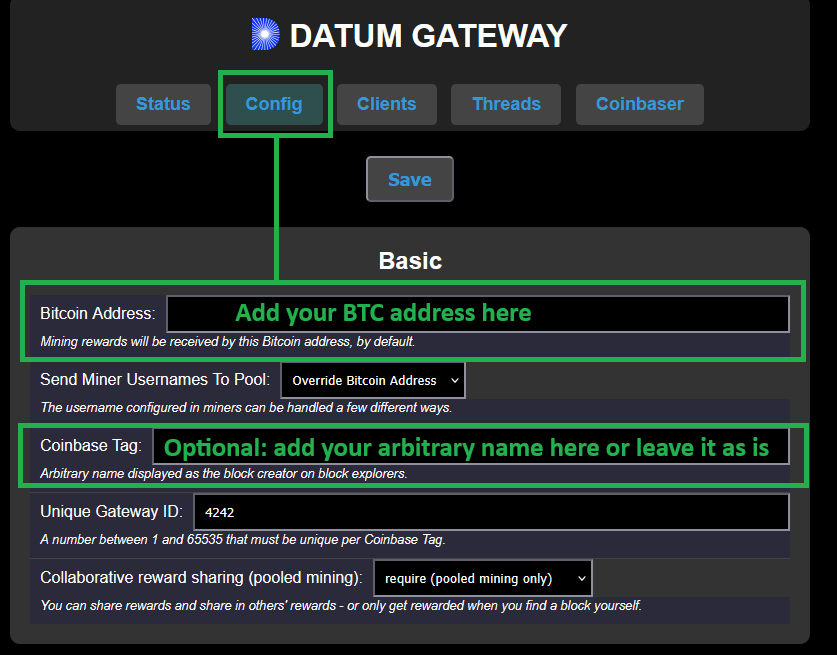
- DATUM does not fully initialize until you add your Bitcoin payout address in the app’s
Configtab - Safari currently cannot be used to change DATUM settings there, so use another browser
If you need the in-app credentials to change settings, right-click the DATUM app icon on the Umbrel home screen and choose Show default credentials.
5. Find the Umbrel box IP on your local network
You can find the box IP in Settings on the umbrelOS home screen.
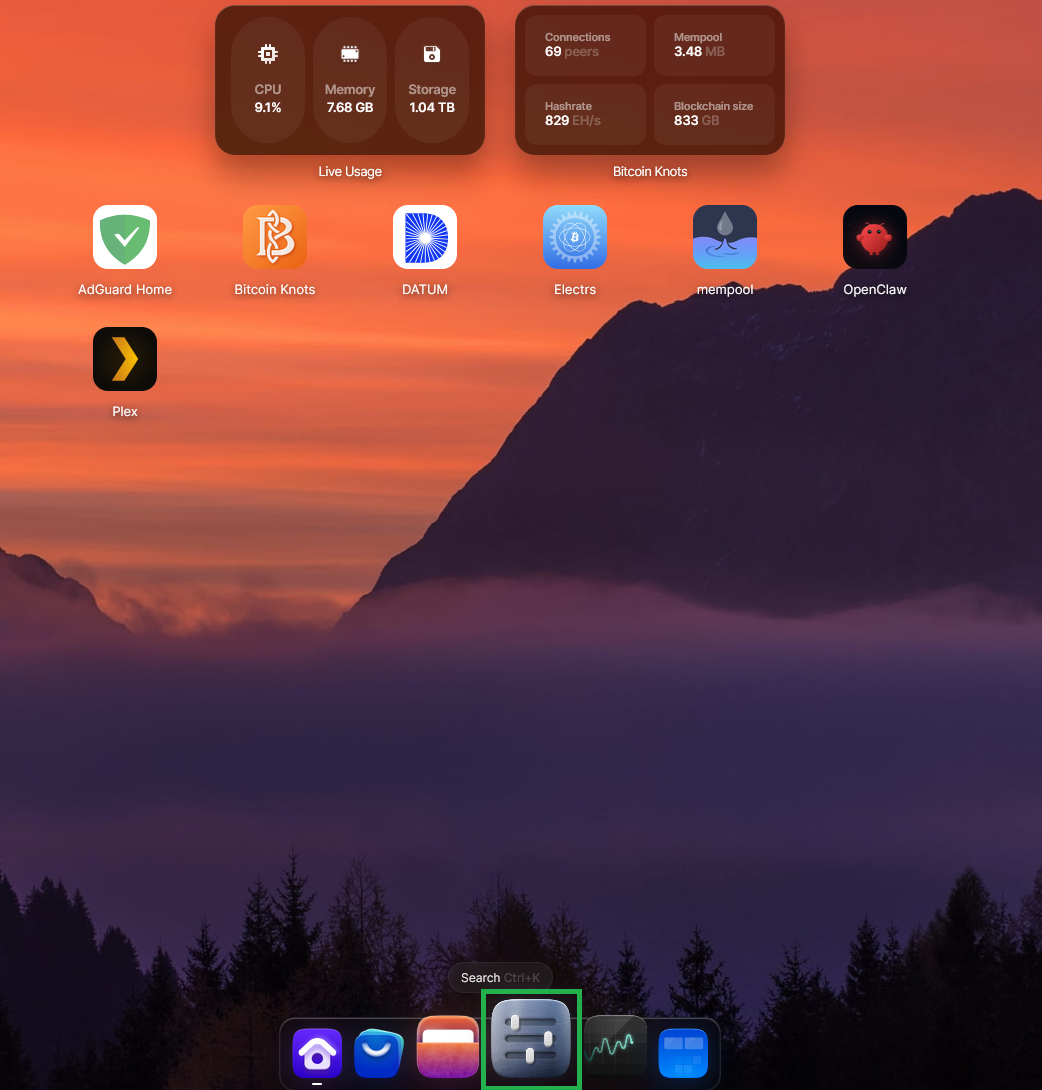
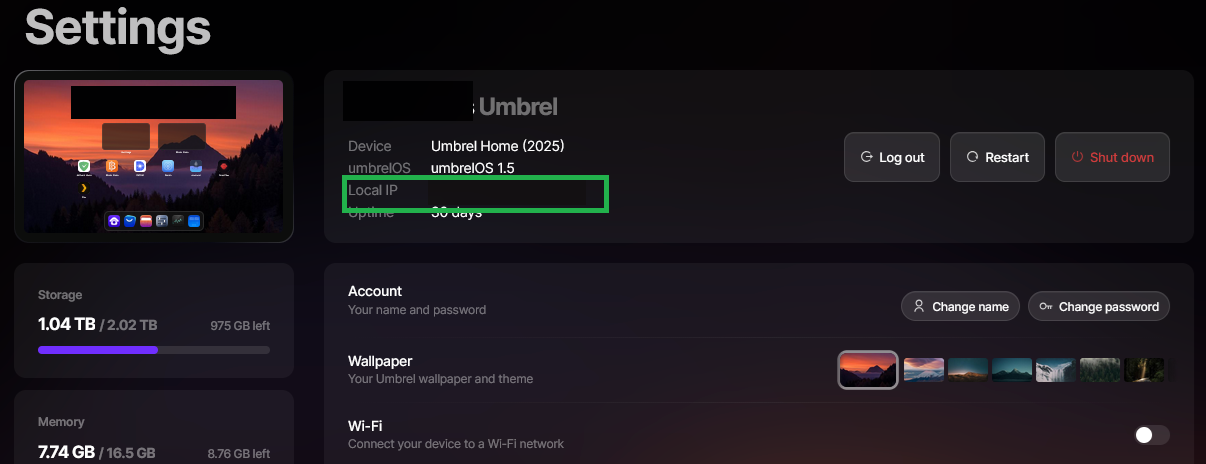
On your local network, DATUM listens on:
stratum+tcp://your-umbrel-lan-ip:23334That local address is useful for checking that DATUM is up, but it is not what a remote hashpower provider should use from outside your house.
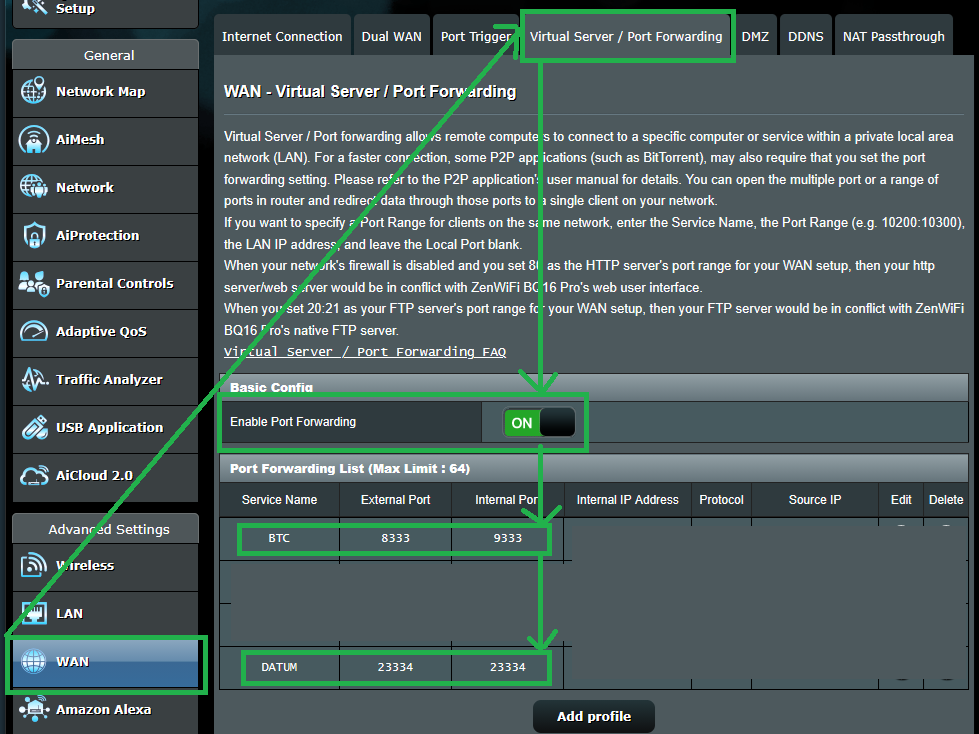
6. Forward port 23334 from your router to Umbrel
Set a router port forward so inbound TCP traffic on port 23334 goes to the Umbrel machine on port 23334.
The important part is that the forward targets the Umbrel box running DATUM, not the wrong machine on your network.
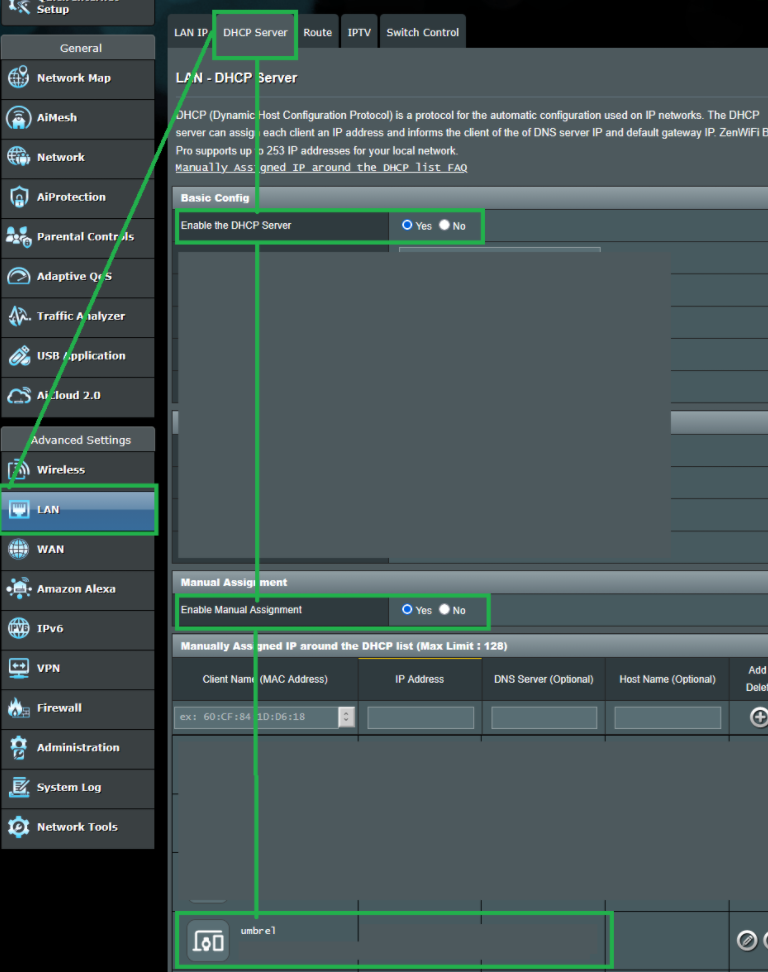
The screenshots below are example ASUS router screens. Your router UI will look different, but look for similar wording such as Port Forwarding, Virtual Server, NAT, LAN, or DHCP.
If your router lets you reserve DHCP leases, it is worth pinning the Umbrel box to one local IP so the forward does not silently break later.
- make the forward TCP-only, not TCP+UDP
- if your router or firewall supports it, restrict allowed source IP ranges instead of exposing the port broadly
- avoid enabling broad UPnP auto-exposure for this service, and disable any automatic rule that opens
23334wider than intended
7. Record the endpoint you actually expose
For rented hashpower, this needs to be a stable public endpoint, not just whatever home IP you happen to have right now.
Use a hostname rather than a raw IP so MiningRigRentals rentals remain eligible for under-delivery refunds.
7a. If your router supports DDNS
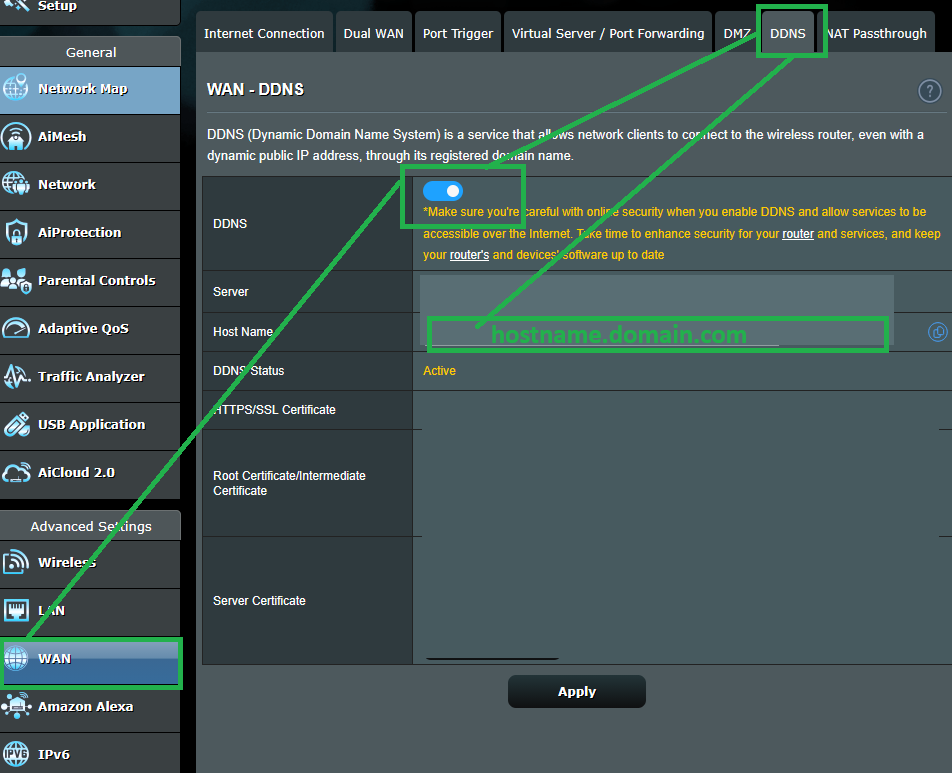
Most home connections do not have a stable public IP, and many routers support DDNS with a simple hostname setup.
If you have that configured, the rental provider should use the hostname on port 23334:
stratum+tcp://hostname.domain.com:23334Replace hostname.domain.com with the actual DDNS hostname your router keeps updated.
Before proceeding, verify from a network outside your home LAN that hostname.domain.com:23334 accepts connections.
Simple ways to check include using a remote machine, an online port-check tool such as YouGetSignal, or running a remote test such as telnet hostname.domain.com 23334 or curl telnet://hostname.domain.com:23334.
Here is an example of the kind of port-check interface you can use:
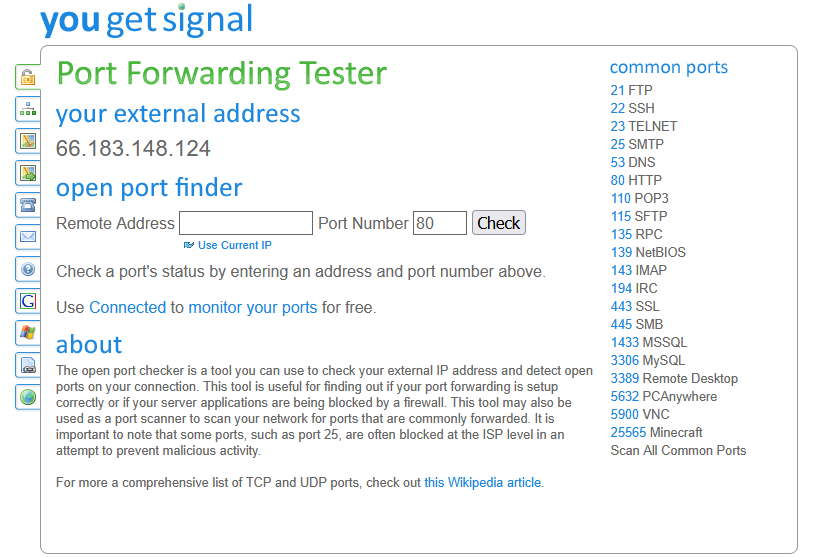
If the check fails, fix your DDNS or port-forwarding setup before moving on.
7b. If your ISP gives you a stable static public IP
If your home connection really does have a stable static public IP and you are intentionally using that instead of DDNS, the endpoint is:
stratum+tcp://your-public-ip:23334Replace your-public-ip with the actual stable static public IP of your home connection.
If your ISP changes that IP, stop and fix the endpoint before spending more sats. PickHash can give a raw IP a stable DuckDNS name during setup.
8. What you bring into PickHash
When this guide is done, bring one of these public endpoints into the PickHash guide:
stratum+tcp://hostname.domain.com:23334stratum+tcp://your-public-ip:23334
Use the Bitcoin address receiving OCEAN rewards as the username, optionally followed by a worker name after a period:
bc1qyourrealbitcoinaddress.someworkernamePickHash does not require a stratum password for this setup.
Then continue to the PickHash guide.
The Braiins guide remains available as an alternative.
Why use this guide
- You already have an Umbrel box you trust, so you can reuse it instead of building a separate VPS stack
- DATUM on Umbrel already sits on top of Bitcoin Knots and speaks Stratum on port
23334 - Port forwarding keeps the setup simple if your goal is just to make DATUM reachable by rented hashpower
- The node and DATUM stay on hardware you already control, which is the entire reason to take this route